
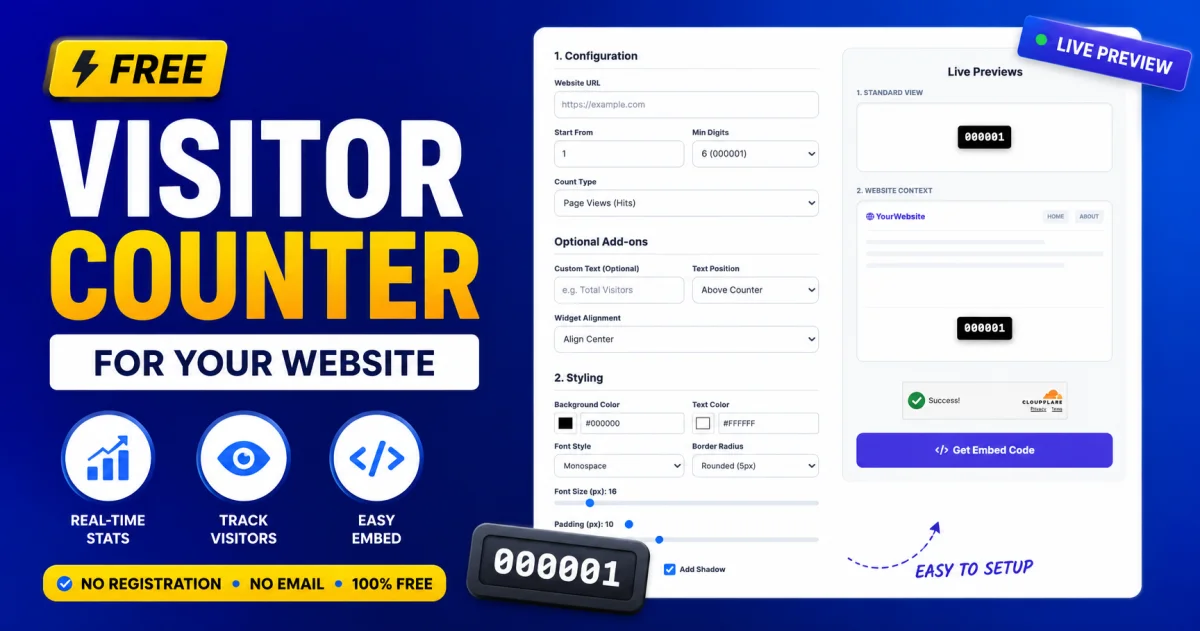
Free Visitor Counter or Hit Counter for Your Website
Table of Contents
- What Is a Website Visitor Counter?
- Free Visitor Counter Without Registration
- Visitor Counter vs. Hit Counter: What Is the Difference?
- How to Use a Free Website Visitor Counter
- Is a Visitor Counter Enough for Website Analytics?
- Benefits of Using a Free Hit Counter
- What Should You Look for in a Visitor Counter?
- Frequently Asked Questions
- Conclusion
If you want to know how many people are visiting your website, you do not always need a complicated analytics platform or an account-based tracking service. A simple free visitor counter or hit counter can give you a quick way to display or monitor website visits without registration, email verification, or a lengthy setup process.
For website owners, bloggers, small businesses, portfolios, and personal websites, a lightweight visitor counter can be useful when you simply want to track traffic numbers. If you are looking for a free website visitor counter with no registration and no email, there are simple tools available that can help you get started quickly.
What Is a Website Visitor Counter?
A website visitor counter is a tool that records visits to a website or webpage and displays a numerical count. Depending on the counter, it may track total visits, current visitors, unique visitors, or other basic traffic information.
A traditional hit counter generally counts requests or page loads. A modern visitor counter may use more advanced methods to provide a more meaningful estimate of visitors.
For example, a counter can help answer simple questions such as:
-
How many people have visited my website?
-
Is my website getting more traffic than before?
-
How many visitors are online right now?
-
Which pages are attracting attention?
-
Is a new promotion bringing more visitors?
For basic traffic visibility, you may not need a full analytics dashboard.
Free Visitor Counter Without Registration
One of the biggest advantages of a no-registration visitor counter is convenience. You can start checking your website traffic without creating another account or providing an email address.
This is particularly useful for small websites where you only need basic visitor information rather than advanced analytics.
A no-registration solution can also reduce setup time. Instead of creating an account, confirming your email, configuring a property, and navigating through multiple dashboards, you can use a lightweight visitor counting tool and focus on your website.
If you want a simple way to see visitor activity, try this real-time website visitor counter to check live traffic without a complicated setup.
Why No-Email Tools Can Be Useful
Many online services require an email address before you can access even their basic features. That can be unnecessary when you only need a quick traffic check.
A visitor counter that does not require email registration can be useful for:
-
Personal blogs
-
Portfolio websites
-
Small business websites
-
Landing pages
-
Community websites
-
Event pages
-
Student projects
-
Temporary campaigns
-
Simple static websites
The goal is simple: get useful visitor information without adding unnecessary steps.
Visitor Counter vs. Hit Counter: What Is the Difference?
The terms visitor counter and hit counter are often used interchangeably, but they can describe slightly different measurements.
A hit counter traditionally counts individual requests made to a web server. A single person can generate multiple hits by loading different resources or refreshing a page.
A visitor counter, on the other hand, is generally intended to represent website visitors or visits more meaningfully.
For example, imagine someone opens a webpage, refreshes it twice, and then visits another page. Depending on how the system is designed, those actions may result in several hits but fewer actual visitors.
This distinction matters because a high hit count does not necessarily mean the same number of people visited your website.
For simple public-facing counters, it is therefore important to understand what the number actually represents.
How to Use a Free Website Visitor Counter
Using a visitor counter should be straightforward. In most cases, the process involves entering your website information and allowing the tool to process the available traffic data.
If the counter provides a live visitor view, you can use it to see whether people are currently accessing your website.
Step 1: Choose a Visitor Counter
Start with a visitor counter that matches your requirements. If you only need basic traffic information, avoid choosing an unnecessarily complex analytics platform.
Step 2: Enter Your Website Details
Depending on the service, you may need to enter your website domain or webpage address. Some tools are designed specifically for checking a website without requiring account creation.
Step 3: Check Visitor Activity
Once the counter is available, review the displayed visitor information. Look for useful trends rather than focusing on a single number.
For example, compare traffic on different days or after publishing new content.
Step 4: Use the Data to Improve Your Website
Visitor numbers are more useful when you use them to make decisions. If traffic increases after publishing an article, promoting a page, or launching a campaign, that information can help guide your next steps.
Is a Visitor Counter Enough for Website Analytics?
A visitor counter is useful for basic traffic monitoring, but it should not be considered a complete replacement for a full analytics platform.
If you operate a larger website, you may want additional information such as traffic sources, landing pages, engagement, conversions, geographic data, and user behavior.
Google explains that Search Console and Google Analytics serve different purposes: Search Console focuses on how people discover your site through Google Search, while Analytics provides information about what visitors do after arriving on your website.
For serious SEO work, combining these data sources can provide a much more complete picture of website performance.
Benefits of Using a Free Hit Counter
A simple hit counter still has several practical advantages.
Quick Traffic Visibility
You can see a basic indication of website activity without working through a complicated analytics interface.
Easy to Understand
Visitor numbers are simple to interpret, making counters useful for beginners and non-technical website owners.
No Unnecessary Account Setup
A no-registration option can save time when you only need basic information.
Useful for Small Websites
Personal websites, blogs, portfolios, and small projects may not need advanced analytics for every page.
Helpful for Monitoring Trends
Even basic visitor numbers can help you identify whether traffic is generally increasing, decreasing, or remaining stable.
What Should You Look for in a Visitor Counter?
Not every counter works in exactly the same way. Before choosing one, consider what information you actually need.
A useful visitor counter should ideally be:
-
Free to use
-
Easy to understand
-
Quick to access
-
Lightweight
-
Privacy-conscious
-
Suitable for your website
-
Clear about what its visitor numbers represent
If you need advanced SEO and traffic analysis, a dedicated analytics platform will usually be more appropriate. For a simple traffic count, however, a lightweight counter can be enough.
Frequently Asked Questions
Is there a free visitor counter for a website without registration?
Yes. Some visitor counter tools allow you to check website traffic without creating an account or providing an email address. This makes them convenient for quick traffic monitoring.
What is a hit counter on a website?
A hit counter is a tool that counts website or page requests. Traditionally, each page load or request could increase the hit count, so hits should not automatically be treated as unique visitors.
Can I check website visitors without an email?
Yes. Some online visitor counters do not require email registration. This can be useful when you want basic visitor information without creating an account.
Is a visitor counter the same as Google Analytics?
No. A visitor counter generally provides basic traffic information, while Google Analytics offers much deeper information about visitors, sessions, traffic sources, engagement, and user behavior.
Does a visitor counter help with SEO?
A visitor counter itself does not directly improve search rankings. However, monitoring traffic trends can help you understand whether your content and marketing efforts are attracting more visitors. For Google Search performance, tools such as Search Console provide more relevant SEO data.
Can a website visitor counter show real-time visitors?
Some visitor counters are designed to show current or real-time visitor activity. The exact information available depends on how the counter measures and reports visitors.
Conclusion
A free visitor counter or hit counter can be a practical solution if you simply want to monitor website traffic without registration, email verification, or complicated analytics software. It is particularly useful for small websites, blogs, portfolios, landing pages, and personal projects.
For basic traffic visibility, start with a simple real-time visitor counter for your website and use the numbers as a starting point for understanding your audience.
If your website grows and you need deeper insights into search traffic, user behavior, conversions, and acquisition channels, you can then add a full analytics solution alongside your basic visitor counter.

Jitendra
Content Writer
Jitendra creates clear and informative content at Toolszu, covering technology, online tools, and digital productivity. He enjoys simplifying complex topics and turning them into practical, easy-to-follow resources.