
Sign PDF Online
Upload your PDF and add signatures, text, initials, dates & more — completely free.
Upload Your PDF
Drag & drop your PDF here, or click to browse your files
Pages
Add Signature
Click to upload PNG or JPG
Transparent background recommended
How to E-Sign a PDF Document Online for Free
Upload Your Document
Securely drag and drop your PDF into the upload area or click to browse. We support files up to 20 MB. No account creation is required to start signing.
Generate Your Signature
Choose your preferred method: type your name in a professional cursive font, draw your signature freehand, upload a transparent PNG, or capture it instantly using your device's camera.
Annotate & Adjust
Drag your new electronic signature to the correct signature line. Easily resize or rotate it. You can also add text boxes, initials, today's date, or company stamps to complete the form.
Export & Download
Click "Download Signed PDF" to save your finalized document directly to your device. Your file retains its original quality with zero watermarks added.
Watch: How to Sign a PDF Online for Free
See how to draw, type or upload your signature, place it on your PDF and download the signed file on your phone or PC, step by step.
Interactive PDF Signature & Annotation Workspace
Experience a desktop-grade editing interface directly in your browser. Generate signatures, add text, and fill forms with precision.
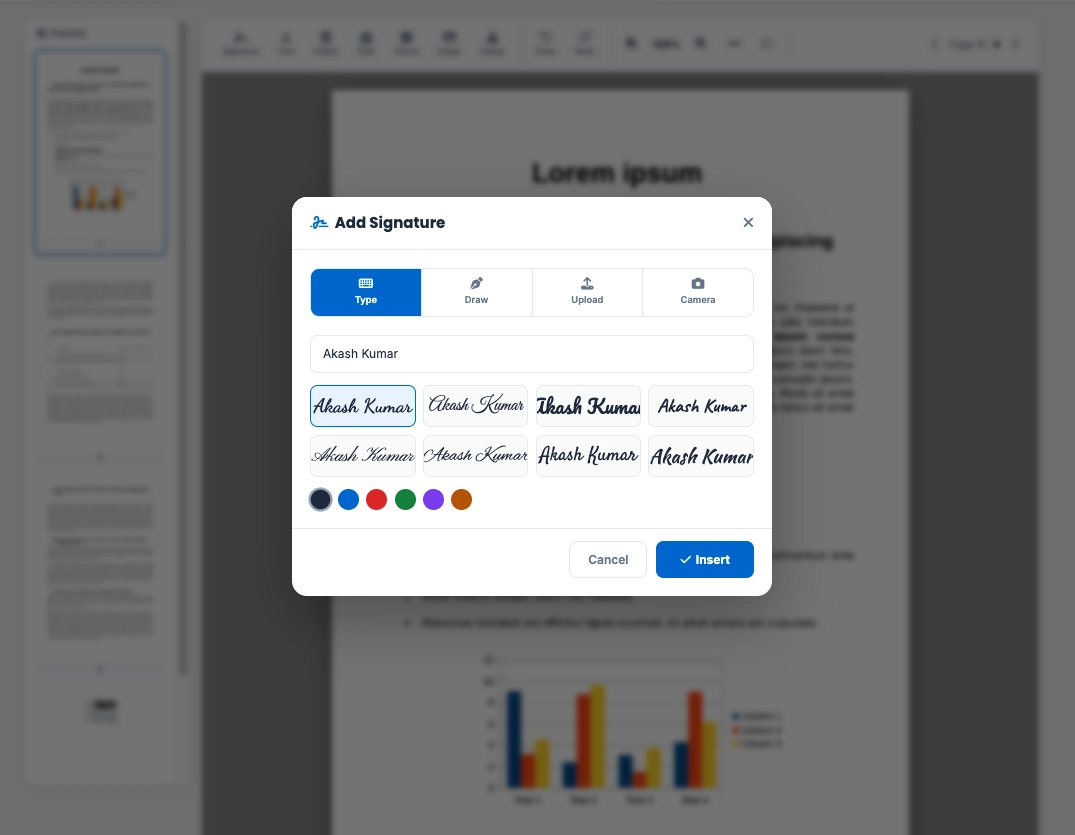
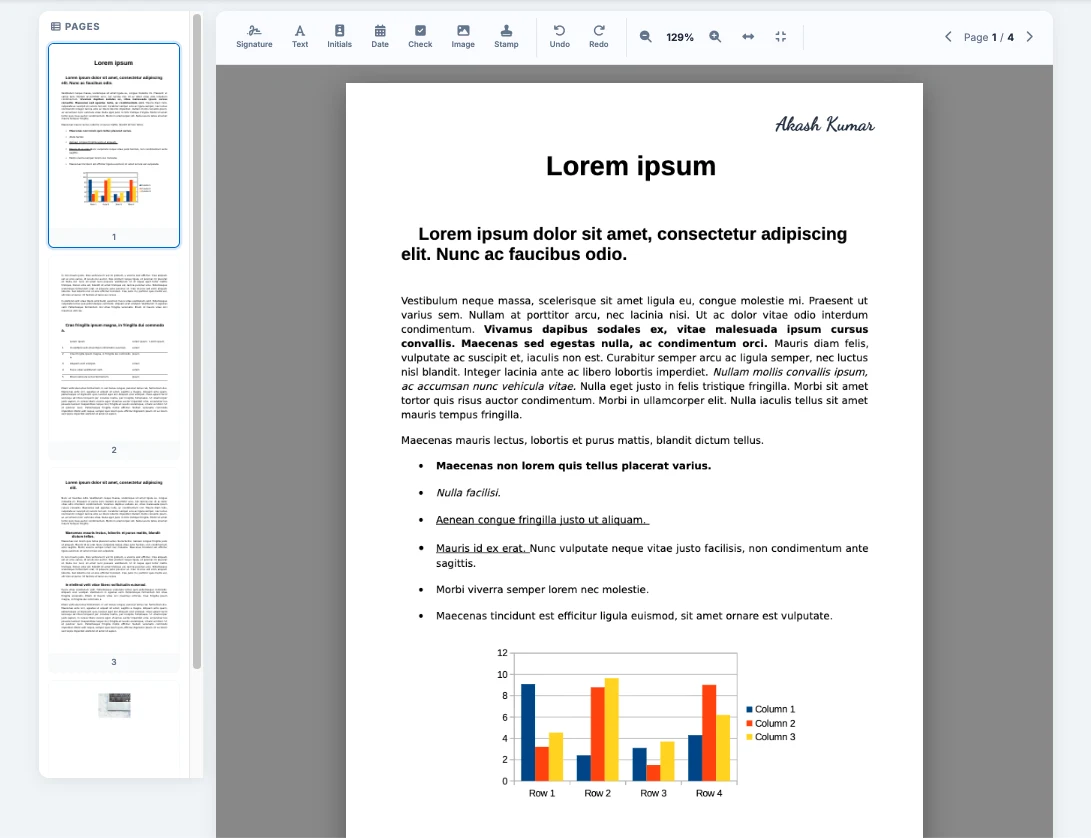
1. Advanced Signature Generator
Instantly generate legally binding signatures. Choose from 8 cursive typography styles, draw freehand on touchscreens, upload a transparent PNG, or capture via webcam.
2. Complete Annotation Toolbar
Access dedicated tools along the top navigation menu to insert text boxes, initials, today's date, checkmarks, and custom corporate stamps with one click.
3. Drag & Drop Canvas
Place your elements perfectly on the form. Use the interactive bounding boxes directly on the document preview to scale, rotate, and reposition signatures instantly.
Why Choose Our Free PDF Signer?
Versatile e-Signature Options
Whether you need to type a formal cursive signature, draw on a touchscreen, upload a scanned signature, or snap a photo of your autograph, our tool handles it all instantly.
Complete PDF Form Filler
Don't just sign—fill out the whole document. Add custom text for names and titles, insert dynamic dates, drop checkmarks into boxes, and apply "Approved" stamps effortlessly.
Multi-Page Document Handling
Easily navigate complex contracts. Use the thumbnail sidebar to jump between pages, sign multiple sections independently, and export the entire contract as a unified, finalized PDF.
Client-Side Privacy Guarantee
Your sensitive contracts never leave your device. All rendering and signing happen locally in your web browser. We never upload, store, or view your private documents.
Precision Editing Tools
Ensure your signature sits perfectly on the line. Utilize our zoom controls, "fit to width," and "fit to page" features to accurately place signatures on small or densely formatted documents.
Cross-Platform Compatibility
Sign PDFs on the go. Our responsive web app works flawlessly on Windows, Mac, iOS, and Android. Draw your signature naturally using your finger or stylus on any touchscreen device.
Electronic Signature vs. Digital Signature
While often used interchangeably, there is a difference. An electronic signature (e-signature) is a digital representation of your handwritten signature—like drawing on a screen or typing your name. It is legally valid for most everyday business and personal documents. A digital signature is a highly secure, encrypted method that relies on a certificate authority (CA) to verify identity, typically required only for heavily regulated government or legal filings. Toolszu provides fast, compliant, and easy-to-use electronic signatures for all your standard PDF needs.
What Can You Sign with Toolszu?
Business & HR
- Non-Disclosure Agreements (NDAs)
- Employment Contracts
- Offer Letters & Onboarding
- Vendor Agreements
Real Estate
- Residential Lease Agreements
- Commercial Property Contracts
- Eviction Notices
- Purchase Offers
Freelance & Creative
- Service Level Agreements (SLAs)
- Independent Contractor Forms
- Design Sign-offs
- Invoices & Estimates
Frequently Asked Questions
You can use our online tool directly in your web browser. Simply upload your PDF, click the "Signature" button on the toolbar, and choose to type, draw, or upload your signature. Place it on the document and download the finished file. No Adobe Acrobat, installations, or paid subscriptions are required.
Yes, in most countries, electronic signatures are legally binding and carry the same weight as handwritten signatures under laws like the ESIGN Act (USA) and eIDAS (European Union). They are commonly used for business contracts, rental agreements, and HR documents. For highly regulated documents (like wills or property deeds), always consult a legal professional.
Yes, it is 100% safe. Toolszu utilizes client-side processing. This means your PDF file is processed entirely by your own browser (using JavaScript). Your document is never uploaded to our servers, ensuring absolute privacy for sensitive information, financial records, and NDAs.
Our tool is fully optimized for mobile devices. Open this page in Safari, Chrome, or any mobile browser. Upload your PDF, tap the signature icon, and use your finger to draw your signature directly on the screen, or use your phone's camera to capture a signature from a piece of paper.
Yes. While editing, you have full control. Simply click or tap on the signature (or any text/date element) you placed to select it, then click the small red "X" icon in the top right corner to delete it. You can also use the Undo/Redo buttons on the toolbar to revert changes.
No. Unlike many other free tools, Toolszu never adds watermarks to your documents. The PDF you download will look exactly like your original file, just with your added signatures and annotations.
Related PDF & Document Tools
Ready to Sign Your PDF?
Add your signature, initials and today's date in seconds. 100% free, with no sign-up and no watermark.
Sign PDF Now