
Toolszu vs Duplichecker: Which Plagiarism Checker is Better?
Table of Contents
Plagiarism detection has become essential for students, bloggers, and SEO professionals. Whether you're publishing content or submitting assignments, even accidental duplication can hurt your credibility and rankings. But with so many tools available, choosing the right one isn’t easy.
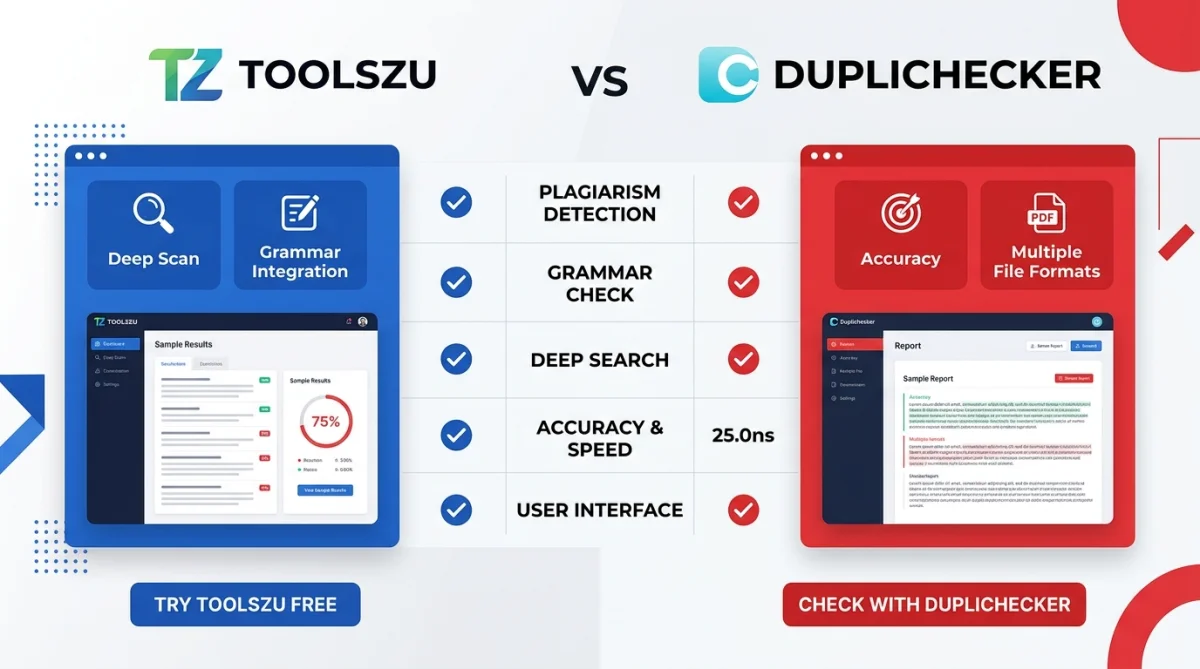
In this comparison, we break down Toolszu vs Duplichecker to help you decide which plagiarism checker fits your needs. We’ll cover accuracy, usability, features, and real-world performance—so you can make a confident choice.
What is Toolszu?
Toolszu is an all-in-one platform offering a wide range of online tools, including a powerful plagiarism checker designed for speed, simplicity, and privacy.
What makes it stand out is its ecosystem. Along with plagiarism detection, you can improve your content using tools like a grammar checker or refine text with a paraphrasing tool all in one place.
Key Features of Toolszu
- Fast and clean interface
- No login required
- Accurate plagiarism detection
- Works alongside other SEO and writing tools
- No unnecessary ads or distractions
What is Duplichecker?
Duplichecker is a well-known free plagiarism checker widely used by students and bloggers. It offers basic duplication detection and some additional writing tools.
While it’s popular, the platform often relies on ads and has usage limits for free users.
Key Features of Duplichecker
- Free plagiarism checking
- Multiple file upload options
- Basic grammar and paraphrasing tools
- Daily usage limits
- Ad-heavy interface
Toolszu vs Duplichecker: Feature Comparison
1. Accuracy of Plagiarism Detection
Accuracy is the most critical factor.
- Toolszu focuses on delivering reliable and consistent results. It checks content deeply and highlights matched sources clearly.
- Duplichecker provides decent results but may miss some advanced duplication patterns or show inconsistent matches.
Verdict: Toolszu offers more dependable accuracy for serious content work.
2. User Experience & Interface
A clutter-free experience matters, especially when working regularly.
- Toolszu has a clean, distraction-free interface. You can paste text and check instantly.
- Duplichecker often includes ads and popups, which can interrupt workflow.
Verdict: Toolszu wins with a smoother and more professional experience.
3. Speed & Performance
Time matters when you’re working on multiple pieces of content.
- Toolszu processes content quickly without unnecessary delays.
- Duplichecker can be slower, especially during peak usage times.
Verdict: Toolszu is faster and more efficient.
4. Additional Writing Tools
This is where Toolszu really shines.
Instead of using multiple platforms, you can enhance your content using:
- A word counter tool to track content length
- A case converter for formatting
- A text to slug generator for SEO-friendly URLs
Duplichecker offers some tools, but they are limited and not as well integrated.
Verdict: Toolszu provides a complete content toolkit.
5. Ads & Distractions
- Toolszu: Minimal or no ads, clean experience
- Duplichecker: Ad-heavy interface
Verdict: Toolszu is far better for focus and productivity.
6. Usage Limits
- Toolszu: Generally more flexible with fewer restrictions
- Duplichecker: Strict daily limits on free usage
Verdict: Toolszu offers more freedom for regular users.
When Should You Use Toolszu?
Choose Toolszu if you:
- Want a clean and distraction-free experience
- Need accurate plagiarism detection
- Prefer an all-in-one content toolkit
- Work on SEO, blogging, or professional writing
It’s especially useful when combined with tools like a keyword density checker to optimize content after checking originality.
When Should You Use Duplichecker?
Duplichecker might work for you if:
- You need a quick, occasional plagiarism check
- You don’t mind ads
- You’re okay with usage limits
It’s more suitable for casual or one-time use rather than professional workflows.
Real-World Example
Imagine you're writing a blog post for SEO.
With Toolszu, you can:
- Check plagiarism
- Improve readability with a grammar tool
- Optimize keywords using a keyword tool
- Format your content properly
All without switching platforms.
Duplichecker, on the other hand, may require multiple tools and interruptions due to ads.
What Do Search Engines Say About Plagiarism?
Search engines like Google prioritize original content. According to Google’s Search Central documentation, duplicate content can impact rankings and visibility.
Using a reliable plagiarism checker ensures your content remains unique and SEO-friendly.
FAQs
1. Which plagiarism checker is more accurate?
Toolszu is generally more accurate due to better detection consistency and cleaner reporting.
2. Is Duplichecker completely free?
Yes, but it comes with limitations like daily usage caps and ads.
3. Can I use Toolszu without creating an account?
Yes, Toolszu allows you to use most tools without login, making it quick and convenient.
4. Is plagiarism checking important for SEO?
Yes. Original content improves rankings and avoids penalties from search engines.
5. Which tool is better for bloggers?
Toolszu is better because it combines plagiarism checking with multiple SEO and writing tools.
6. Does Toolszu store my content?
Toolszu focuses on privacy and typically does not store user content, making it safer for sensitive work.
Conclusion
Both Toolszu and Duplichecker offer plagiarism checking, but they serve different types of users.
If you want a fast, accurate, and distraction-free tool with additional SEO features, Toolszu is the clear winner. It’s designed for modern creators who need more than just basic plagiarism detection.
Duplichecker still works for occasional checks, but its limitations make it less suitable for serious use.
If you’re creating content regularly, it’s worth using a tool that supports your entire workflow—not just one step of it.